⌃⌘A
Your moment, on command.
Press Control–Command–A from any app. Drag an area or click a highlighted window. Move and resize until it’s just right.
 MacSnip.
A LITTLE UTILITY, JUST FOR MAC
Capture the bit that matters. Add a little clarity. Get back to what you were doing.
Free · macOS 15.4+ · Apple silicon & Intel
Take the
scenic route.
FROM “LOOK AT THIS” TO “GOT IT”
For the bug report, the design detail, the thing that’s easier to show than explain.
Press Control–Command–A from any app. Drag an area or click a highlighted window. Move and resize until it’s just right.
Arrows, shapes, brush strokes, and text. Choose a color and size, move an annotation, and undo whenever you need to.
Save a PNG, copy it to your clipboard, or do both. Paste it into your next conversation and carry on.
THOUGHTFULLY SMALL
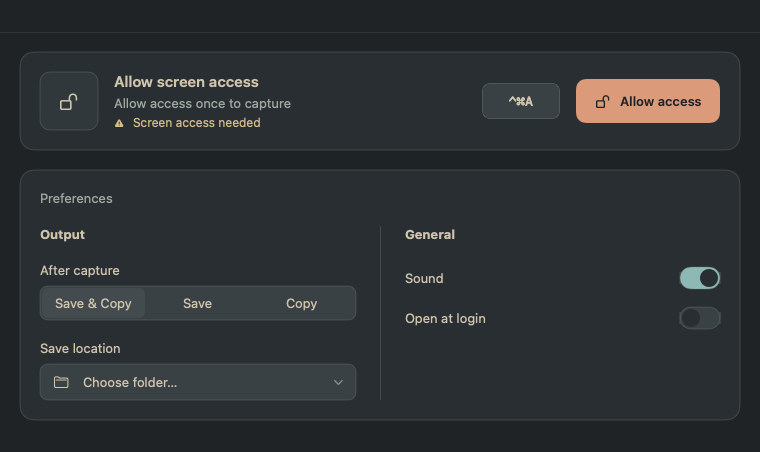
A native app with a calm, Everforest palette. Keep it in the menu bar, make the shortcut your own, and choose exactly where your captures go.
LOCAL BY DESIGN
MacSnip processes screenshots on your Mac. No account, no ads, no analytics, and no uploads by the app. You decide where your images go.
Our privacy policy, in plain languageLESS EXPLAINING. MORE SHOWING.
Free for your Mac. Built for the little things.